More Ways to Show Up, new camera layouts, smarter auto-zoom, better quality, and a faster editor under the hood. v1.0.37 is here
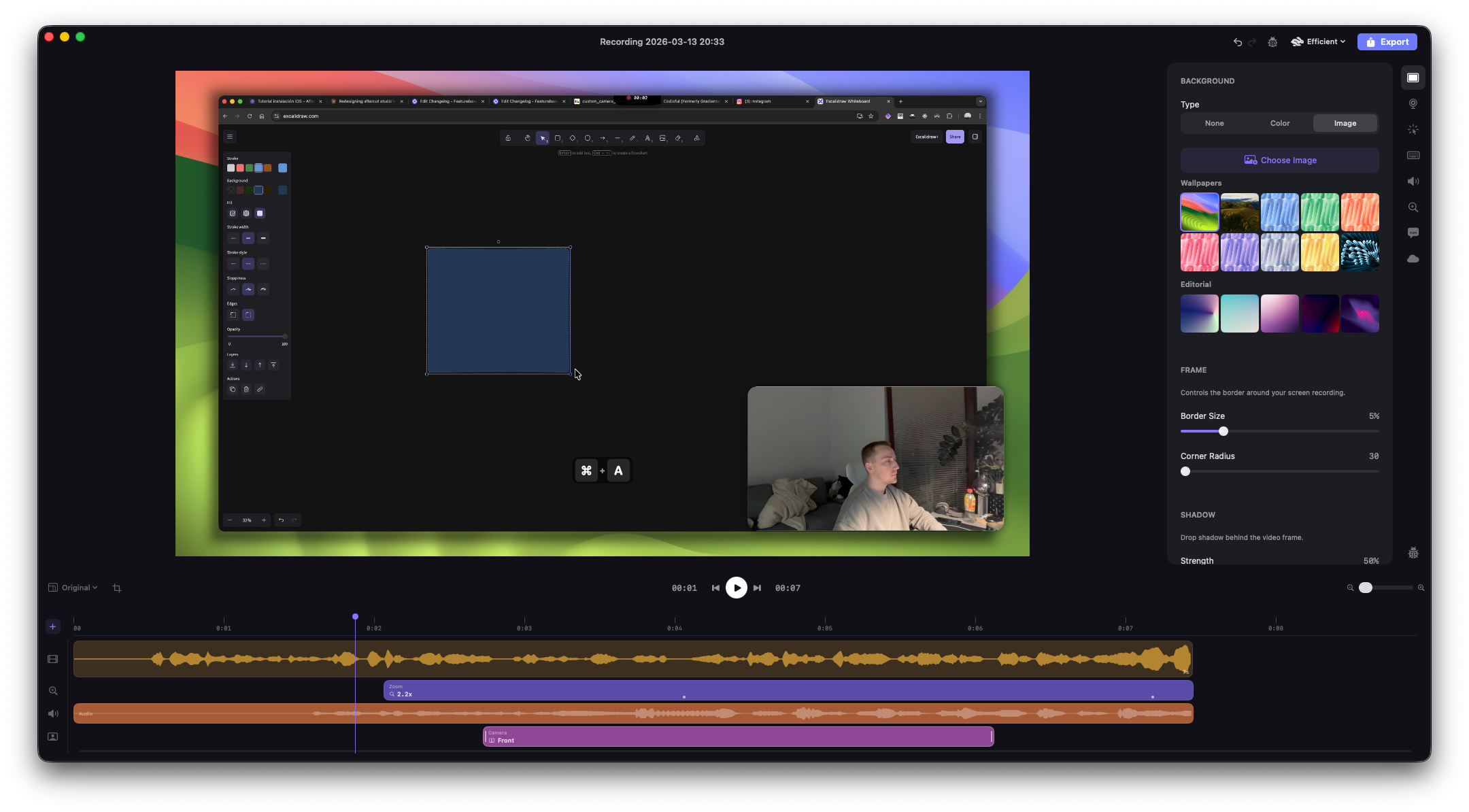
There has been a lot going on over recent weeks. And today, I’m happy to share that a new release of AfterCut is ready and can be downloaded.
This was so far the biggest pack of improvements, bug fixes, and other smaller things delivered. Some of those were already in the app for a while now, but they will still be mentioned in the changelog, as I didn’t create a public announcement of those.
Highlights of This Update
Custom camera layouts
One of the most upvoted features on the public roadmap is finally here.
Front lets you enlarge your camera and put it in front, taking around 90% of the visible screen area.
Full, as you might have guessed, takes the entire screen, fully covering the video.
Side by Side, for wide videos (16:9), splits your screen in half and puts the camera side by side with your recording
Stacked, basically the same as Side by Side, but works better for vertical 9:16 videos. Good for exporting reels, TikToks, etc
Better-looking timeline

The editor timeline is more compact now. I got rid of that messy “add track button“ and replaced it with a nice popover where you can choose what you want to add to your video
Keystrokes display
Custom audio tracks
Now you can drop a custom audio to play on the backgroun. You can adjust volume levels and cut it just the way you want to.
Display selection when recording
Allows you to select a display you want to record, instead of just automatically record the active one.

Uneed.best Cloud Export
Recent collaboration with https://uneed.best resulted in one more export type which is available for free. You can record your video and export it for Uneed to make your product launch better. There is more to come; I’ll announce it later.
A few new backgrounds
Just a small thing, a couple of high-quality backgrounds created by https://unsplash.com/@codioful

Other things
Retina display recordings are now crisp and full-resolution
The window corner radius is auto-detected and matched in the composition
Smooth, continuous (macOS-style) corners for window recordings
Smarter auto-zoom: detects cursor dwell zones, not just clicks
Zoom pan following adapts to smaller panels in split-view layouts
Screen and camera recordings now start at the exact same instant
Scrubbing is faster with direction-aware seek tolerance
Seeking through the timeline is snappier (6x more keyframes in exports)
Fixed memory pressure crashes during long recordings (Hopefully)
GIF export no longer freezes the UI during rendering
Segment splitting no longer breaks camera pan paths
Undo/redo properly restores all timeline selection states
Timeline selection is now mutually exclusive — no more ghost highlights
Multi-display support: pick which screen to record from a dropdown
Cut at the playhead and delete the segment before the playhead shortcuts
Auto-updater window now appears in front of other apps
Removed unused FXAA and sharpening filters for a cleaner render pipeline